Written by Metin KARAL – Computer Engineer with 25+ years of experience in internet technologies. Some products here are tested directly, while others are evaluated through detailed research, specifications, and verified customer feedback. This article may contain affiliate links; as an Amazon Associate we earn from qualifying purchases at no extra cost to you.
If you’ve never bought a security camera before, the options can feel overwhelming. Every product claims 2K or 4K video, AI detection, smart alerts, and dozens of features that all sound important — but in reality, most of those specs don’t matter unless they match your actual use case.
Before looking at brands or models, the first step is much simpler:
👉 Understand what you want to watch, where the camera will go, and how you plan to use it daily.
A camera used as a baby monitor has completely different priorities than one watching a front door or a living room. This guide walks you through those decisions step by step, so you don’t end up buying something that looks great on paper but performs poorly in your home.
Step 1: Start With Your Use Case (This Decides Everything)
Most people skip this step and go straight to specs — which is a mistake.
Ask yourself:
- Do I want to monitor a baby or crib area?
- Am I checking on pets while I’m away?
- Is this for general home security (doors, hallways, living room)?
- Do I need to monitor a large open space or a small room?
Each scenario changes what matters:
- Baby monitoring → stable view, clear night vision, reliable alerts
- Pet monitoring → motion tracking, two-way audio
- Home security → wider coverage, consistent recording, storage reliability
👉 If you don’t define this first, you’ll likely overpay for features you never use — or miss ones you actually need.
Step 2: Placement Is More Important Than the Camera Itself
This is one of the most overlooked parts of buying a security camera.
Before choosing anything, walk around your space and decide:
- Where will the camera physically sit?
- Where is the nearest power outlet?
- What exact area do you want visible?
A camera placed poorly will perform badly — no matter how expensive it is.
Ideal placement basics:
- Height: around 7–8 feet
- Angle: slightly tilted downward
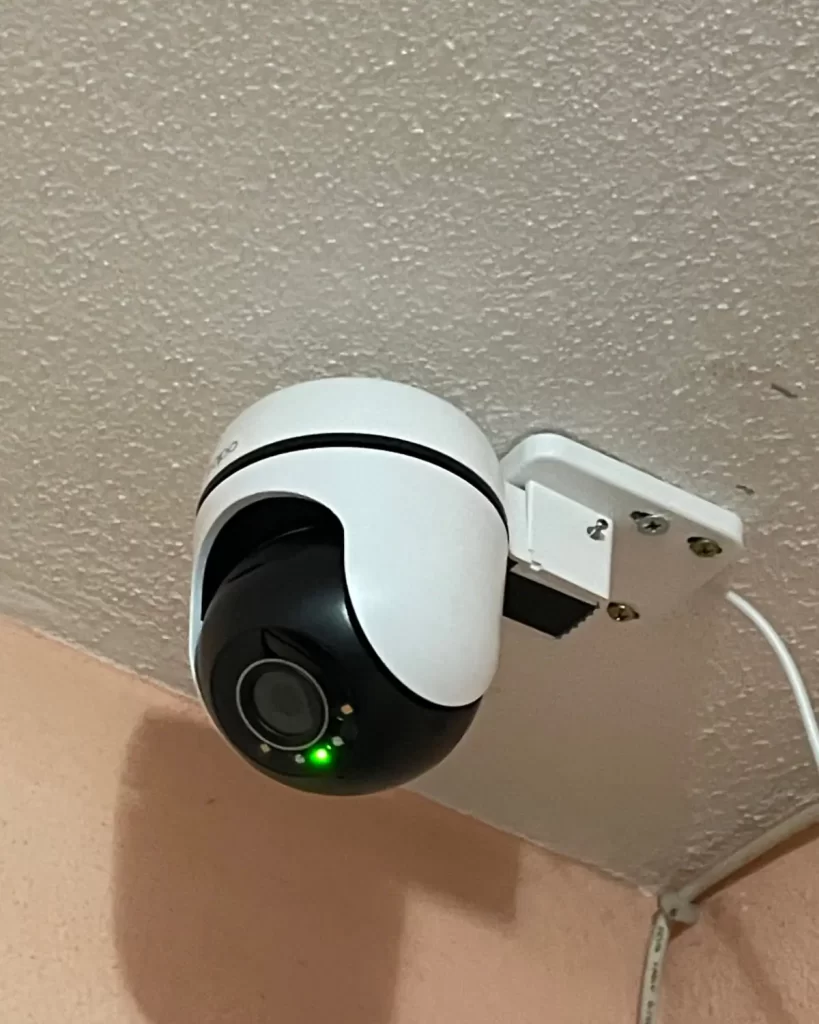
- Avoid: placing too high (loses facial detail) or directly overhead (distorted view)
For baby monitoring:
- Place the camera at the end or side of the crib
- Not directly above — this reduces clarity and perspective
👉 Many people buy multiple cameras too early. Start with one in the right spot — it will outperform three poorly placed ones.
Step 3: Power Type — Flexibility vs Reliability
One of the first real decisions you’ll face is: Wired vs. Wireless Power — The Trade-off Nobody Talks About
Before buying, walk your room and identify outlet positions relative to where you actually want the camera. A camera in the corner of a ceiling sounds great until you realize the nearest outlet is on the opposite wall. Battery-powered cameras solve placement flexibility but introduce a different headache: recharging cycles and reduced recording reliability.
Wired (Plug-in) Cameras (These connect to a power outlet)
Pros
- Continuous recording
- No battery maintenance
- More reliable for long-term use
Cons
- Limited placement (depends on outlet location)
Battery-Powered Cameras
Pros
- Flexible placement
- No need for nearby outlet
Cons
- Needs regular charging
- May miss events if battery runs low
- Often limited recording modes
👉 Beginner-friendly rule:
If you’re using the camera indoors and have an outlet nearby, go wired. It’s more reliable and less frustrating over time.
Step 4: Field of View vs Pan/Tilt — Coverage Strategy
This is where many people get confused. A wide fixed-angle lens (110°–130°) covers more area passively without any moving parts — meaning less mechanical wear over time and faster response to motion. Pan/tilt cameras cover more ground but need a moment to rotate toward detected movement, which can occasionally mean missing the first second of an event. For a small room or crib corner, a wide fixed lens often outperforms pan/tilt. For a large open living room or open-plan space, pan/tilt wins. Don’t default to pan/tilt just because it sounds more capable.
Wide-Angle Fixed Cameras (110°–130°)
These cameras don’t move — they capture everything within a wide frame.
Best for:
- Small rooms
- Baby monitoring
- Entry points
They are:
- Faster (no movement delay)
- More durable (no motors)
Pan/Tilt Cameras
These can rotate and follow movement.
Best for:
- Large living rooms
- Open-plan spaces
- Pet tracking
However:
- They take a second to rotate
- Can miss the very start of motion
👉 Simple rule:
- Small, focused area → wide-angle
- Large or dynamic space → pan/tilt
Step 5: Video Quality — What Actually Makes a Difference
You’ll see a lot of “4K” marketing, but resolution is often misunderstood.
Here’s what it really means:
- 1080p (Full HD) → good enough for general monitoring
- 2K → noticeably sharper, better for faces and details
- 4K → useful only for large spaces or digital zoom
But higher resolution also means:
- More storage usage
- Heavier internet load
👉 For most people, 2K is the best balance between clarity and practicality.
Step 6: Storage — Where Your Footage Actually Goes
Most cameras advertise maximum microSD capacity, but the more relevant question is how many days of footage that translates to at your chosen quality setting. A 2K camera recording continuously at high quality will fill a 128GB card in roughly 5–7 days. Motion-only recording can stretch that to several weeks. If continuous 24/7 recording matters to you — for a baby room or front hallway — factor in card size accordingly, and check whether the camera overwrites old footage automatically (most do) or stops recording when full (some budget models do not).
Local Storage (microSD card – Footage is saved directly on the camera)
Pros
- No monthly fees
- Works even without internet
Cons
- Limited storage capacity
- Can overwrite old footage
Cloud Storage (Subscription – Footage is stored online)
The upfront camera price is only part of the equation. Cloud storage plans typically run $3–$10/month per camera. Over two years, a $35 camera with a $5/month plan costs you $155 total — more than a “premium” camera with local storage. If you’re buying multiple cameras, this cost multiplies fast. Use local storage cameras if budget is a priority; use cloud if remote access to historical footage matters more than saving money.
Pros
- Access recordings anytime
- Safer if camera is damaged or stolen
Cons
- Monthly cost
- Requires internet
What Most People Don’t Realize:
A camera that costs $40 can easily cost 3–4x more over time with subscriptions.
👉 If you’re budget-focused, prioritize local storage support.
Step 7: Smart Features — What’s Useful vs What’s Marketing
Modern cameras come with features like:
- Motion detection
- Person detection (AI)
- Activity zones
- App notifications
These are useful — but only if configured properly.
The most important one:
👉 Activity Zones
Without it:
- You get alerts for everything (shadows, curtains, TV light)
With it:
- Alerts only where it matters (door, crib, entry point)
Two-Way Audio
Often overlooked, but surprisingly useful:
- Talk to pets
- Communicate with delivery drivers
- Check on family members
👉 It’s not just a “bonus feature” — it’s practical.
Step 8: Night Vision — Real Performance vs Specs
Most cameras advertise:
- “30ft night vision”
- “IR night mode”
But real-world performance depends on your room.
Common issues:
- Glare from reflective surfaces
- Dark corners not covered
- Overexposed bright spots
👉 Always test night vision after setup — even small adjustments can make a big difference.
Step 9: Ecosystem Compatibility (Don’t Ignore This)
Buying a camera that works with your existing ecosystem saves significant friction later. Apple HomeKit users should prioritize cameras with native HomeKit support — but as noted in the eufy reviews, HomeKit often caps resolution at 1080p even on 4K hardware, so factor that in. Google Home and Alexa users have more options at this price range. If you don’t currently use a smart home platform, Alexa support is the most broadly useful default given its prevalence.
Make sure your camera supports it.
Otherwise:
- You’ll lose voice control
- Automation becomes limited
👉 If you’re unsure, Alexa-compatible cameras are the safest choice for most users.
Step 10: Budget — What You Really Need to Spend
You don’t need a premium camera to get reliable performance.
Today’s budget cameras already offer:
- 2K resolution
- Motion alerts
- Night vision
- Mobile app control
👉 For most homes, a well-chosen budget camera is more than enough.
If you’re looking for tested options, check our best budget security cameras under $100 — where we break down the top performers based on real-world use.
Final Thoughts: Focus on Real Use, Not Specs
Choosing a security camera isn’t about getting the most advanced model — it’s about getting the right tool for your specific situation.
If you remember only a few things, make it these:
- Placement matters more than specs
- Power type affects daily usability
- Storage determines long-term cost
- Simpler setups often work better
Take a few minutes to plan before buying, and you’ll avoid the most common mistakes — and end up with a camera that actually does what you expect it to do.
Common Mistakes to Avoid When Buying a Security Camera
Even with all the right information, most first-time buyers make a few predictable mistakes. These aren’t obvious until after you’ve set up the camera — which is why avoiding them early can save you time, money, and frustration.
Buying Based on Specs Instead of Real Use
It’s easy to get pulled in by numbers like 4K resolution, 360° rotation, or “AI-powered detection.” While these features sound impressive, they don’t automatically translate to better real-world performance.
A 4K camera placed too high or pointed at the wrong angle will still give you poor usable footage. Similarly, advanced motion tracking won’t help if the camera isn’t covering the right area in the first place.
👉 Always start with where and how you’ll use the camera, not what the spec sheet says.
Ignoring Power Source Until It’s Too Late
Many people choose a camera and only later realize they don’t have a convenient place to power it — or that they now need to recharge it every few days.
This becomes frustrating quickly, especially for indoor setups where reliability matters more than flexibility.
👉 Before buying, identify your installation spot and nearest power source. This single step prevents most setup regrets.
Placing the Camera Too High
A common instinct is to mount the camera as high as possible to “see everything.” In reality, this often makes footage less useful.
At very high angles:
- Faces become hard to recognize
- You mostly see the tops of heads
- Depth and detail are reduced
👉 The goal isn’t maximum coverage — it’s useful, clear visibility. Stay around 7–8 feet whenever possible.
Relying on Default Settings
Out of the box, most cameras are set to detect motion across the entire frame. This leads to constant, unnecessary alerts from things like:
- Moving curtains
- Lighting changes
- TV screens
- Shadows
Over time, this “alert fatigue” causes people to ignore notifications entirely — defeating the purpose of the camera.
👉 Spend a few minutes setting up activity zones and sensitivity levels right after installation.
Underestimating Storage Needs
Many buyers see “supports up to 128GB or 256GB” and assume that’s more than enough — without considering how quickly footage fills up.
Continuous recording, especially at higher resolutions, can fill storage in just a few days.
👉 Think in terms of how many days of footage you want, not just storage size. Adjust recording mode (continuous vs motion) accordingly.
Overlooking Subscription Costs
A low upfront price can be misleading if the camera depends heavily on cloud storage.
Monthly fees may seem small at first, but over time — especially with multiple cameras — they add up significantly.
👉 Always check:
- What features require a subscription
- What works without it
This helps you understand the true long-term cost, not just the price on the box.
Buying Too Many Cameras Too Soon
It’s tempting to cover every room immediately, but this often leads to poor placement decisions and overlapping coverage.
Without real-world usage, it’s difficult to know where cameras are actually needed.
👉 Start with one camera in the most important area, use it for a few days, then expand based on what you learn.
Skipping Real-World Testing (Especially Night Vision)
Many users install the camera, see that it “works,” and never test it properly — especially in low-light conditions.
But night performance can vary significantly depending on:
- Room layout
- Reflective surfaces
- Light sources
👉 After setup, test your camera during both day and night. Small adjustments can dramatically improve results.
Final Thought on Mistakes
Most of these mistakes don’t come from choosing the wrong product — they come from skipping small setup and planning steps.
A well-placed, properly configured budget camera will almost always outperform a poorly used expensive one.
Written by Metin Karal
Metin Karal is a Computer Engineer with over 25 years of experience working with internet technologies, trends, and digital tools since 1995. He brings this deep background into his product reviews, combining technical expertise with careful research to deliver honest, practical insights for readers. Passionate about technology, Metin also enjoys programming in C# and is currently developing PairMem, a challenging memory game available for free on the official Microsoft Store.