Written by Metin KARAL – Computer Engineer with 25+ years of experience in internet technologies. Some products here are tested directly, while others are evaluated through detailed research, specifications, and verified customer feedback. This article may contain affiliate links; as an Amazon Associate we earn from qualifying purchases at no extra cost to you.
Apple has removed the charger from the box for MacBook Pro M5 and MacBook Air M5 in EU and UK markets, while continuing to include a stock charger in the US — a change that also applies to the MacBook Neo. Buying a charger is no longer an afterthought — it’s now a key part of the purchase and the wrong charger means either slow charging, wasted money on unnecessary wattage, or worse, a cheap uncertified adapter that damages your battery. There are real risks with buying a cheap charger — a bargain MacBook charger might fry your laptop or get dangerously hot.
The good news is that the right charger is straightforward once you know your model’s requirements. Apple’s own testing confirms the MacBook Air M5 fast-charges from 0–50% in 30 minutes with a 70W adapter, while the MacBook Pro 14″ achieves the same with 96W — and the Pro 16″ requires a full 140W PD 3.1 charger for peak speed. We researched and ranked 7 certified GaN chargers across every MacBook Pro and Air M5 model — from the most compact budget pick to the desktop charger that eliminates every adapter on your desk permanently. Every pick in this roundup is certified, independently reviewed, and matched to the exact model it charges best.

Best MacBook Charger – 2026
| Charger | Why |
|---|---|
| Anker Nano 70W 3-Port Charger | Best MacBook Air M5. Fast, efficient, and compact—while still capable of charging a Pro M5 in lighter workloads. Compact 70W GaN charger that hits MacBook Air M5’s exact fast charging threshold comes with a premium braided cable included. |
| Anker 140W 4-Port Smart Display | Best Multi-Device Charger — dual 140W USB-C ports (both C1 and C2 deliver full speed), four simultaneous devices, HD color display with touch controls, ActiveShield 4.0 thermal monitoring, and 240W cable included. The only pick that powers MacBook, iPhone, iPad, and a fourth device from one outlet at full speed. |
| UGREEN Nexode 65W | Best Budget MacBook Air M5 Charger – Compact and travel-friendly, with enough power for everyday use. Foldable GaN design with 3-port flexibility — charges MacBook Air, iPhone, and a third device simultaneously at an unbeatable price. |
| UGREEN Nexode 140W | Best MacBook Pro 16″ Charger – For users who need full-speed charging for their 16″ MBP, with 3-port USB and 140W. Ideal for heavy workloads and future-proof setups. |
| Anker 100W Ultra-Compact Charger | Best MacBook Pro 14″ Charger – Great middle ground for both MacBook Air M5 and Pro M5 14″. Handles laptop + multiple devices with ease, making it perfect for hybrid desk setups. Combines PD 3.1 fast charging with a smart display and touch controls. |
| Apple 96W USB-C Power Adapter | Best Official MacBook Pro M5 Charger, delivering reliable fast charging with zero compatibility concerns. More power than Air users typically need. The safest choice for buyers who want zero compatibility risk. |
| Belkin 200W 4-Port Desktop Charger | Best Desktop Charger for Macbook Air & Pro – High output and intelligent power sharing make it a true charging hub. Desktop hub with PD 3.1 fast charging and Intelligent Power Sharing. Charges up to 4 devices at once. Eco-friendly build with 2-year coverage and $2,500 CEW protection. |
Anker Nano 70W 3-Port Charger — Best MacBook Air M5 Charger
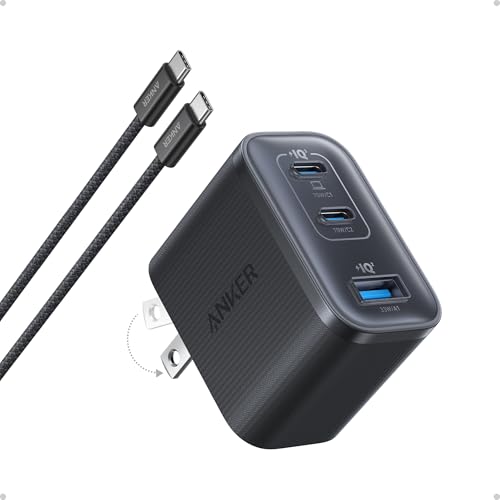
Quick Facts
- ⚡ 70W single port — meets MacBook Air M5’s exact fast charging threshold
- 🔌 3 ports — 2x USB-C (70W + 18W) + 1x USB-A (22.5W)
- 🌡️ Dual GaN chips — runs up to 50°F cooler than international safety benchmarks
- 📦 6ft braided USB-C cable included — premium quality, no extra purchase needed
- 🎨 4 color options — Black, White, Green, Pink
- 🪶 Foldable plug — compact, travel-ready, significantly smaller than Apple’s stock adapter
Editor’s Note
Anker is the world’s best-selling mobile charging brand — and the Nano 70W is their most practical everyday charger for MacBook Air M5 owners. 9to5Mac independently tested the Anker Nano 70W and made it their go-to charger for a 14-inch MacBook Pro — praising its 70W single-port output, foldable prongs, and the included 6ft braided USB-C cable as a genuinely nice quality addition that saves an extra purchase. G Style Magazine called it an essential carry after weeks of real-world testing — moving it from “extra brick” to daily driver. Backed by thousands of verified buyers and an Amazon Overall Pick badge, the Nano 70W is the charger MacBook Air M5 owners should buy before anything else — hitting Apple’s exact fast charging threshold without overspending on unnecessary wattage.
Pros
- 70W single port — hits MacBook Air M5’s exact fast charging threshold precisely
- 50°F cooler than safety benchmarks — dual GaN chips, safest thermal management here
- 6ft braided cable included — premium addition most competitors at this price skip
- 9to5Mac daily driver — independently verified as a real-world go-to pick
- 4 color options — matches MacBook Air M5’s Starlight, Midnight, Sky Blue, Stardust Rose
Cons
- Port sharing drops wattage — 45W + 25W when both USB-C ports in simultaneous use
Why We Liked It
The MacBook Air M5 requires a 70W charger for fast charging — which effectively pushes most buyers toward 100W options that add unnecessary bulk and cost. The Anker Nano 70W solves this elegantly: it hits Apple’s exact fast charging threshold at 70W in the most compact multi-port form factor available, without overpaying for wattage the Air M5 can’t use. In real-world testing, the Nano 70W proved itself as a genuine daily carry essential — compact enough for the smallest side pocket, powerful enough to fast-charge a MacBook Air and simultaneously top up an iPhone in the same session.
The dual GaN chip design is the engineering detail that separates it from single-chip competitors: two GaN chips manage power delivery simultaneously — delivering stable current, faster top-ups, cooler temperatures, and a smaller overall design — all without the thermal throttling that causes some compact chargers to slow down under sustained load. The honest trade-off is the USB-A port: for buyers who carry only USB-C devices, a third USB-C port at lower wattage would be more practical — but for users who still carry USB-A accessories, it adds genuine flexibility. For MacBook Air M5 owners who want the most precisely matched fast charger available at the best price, nothing in this roundup hits the sweet spot more accurately.
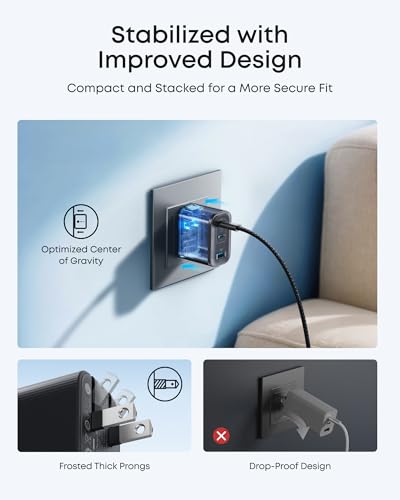
Anker Nano 70W 3-Port Charger
Best For: MacBook Pro and Air users who want one charger to rule them all, and don’t mind paying extra for premium features.
Summary
The Anker Nano 70W is the best MacBook Air M5 charger for users who want Apple’s exact fast charging threshold without overpaying for unnecessary wattage. 70W dual GaN output, 50°F cooler than safety benchmarks, a premium 6ft braided cable included, and 9to5Mac’s daily driver endorsement — all in a pocket-sized foldable design. The USB-A port is the only honest trade-off — for a dedicated USB-C household, a third USB-C port would be preferable. For everyone else, this is the most precisely matched MacBook Air M5 fast charger available.
Anker 140W 4-Port GaN Charger with Smart Display — Best Multi-Device Charger

Quick Facts
- 🔌 Ports: 3x USB-C (140W / 140W / 40W) + 1x USB-A (33W)
- ⚡ Total Output: 140W max
- 📋 Standard: PD 3.1 + PPS
- 📺 Display: HD color display with touch controls
- 🛡️ Safety: ActiveShield 4.0 — 10 million temp checks/day
- 📏 Dimensions: 2.72 × 2.72 × 1.42 in
- ⚖️ Weight: 9.7 oz / 275g
- 🔌 Plug: Foldable
- 📦 In the Box: Charger + 5ft 240W USB-C cable
- ✅ Warranty: 18-month
Editor’s Note
The Belkin 112W was the go-to multi-device charger for MacBook Pro 14″ and Air M5 users who refused to carry separate chargers for every device. This Anker 140W 4-Port fills that slot and raises the ceiling in almost every meaningful way — more ports, higher peak wattage, a smarter display, and a 240W cable included in the box.
What makes this charger genuinely different from the other two Anker picks in this roundup is the four-port architecture. The 70W Nano handles a single Air M5 fast charge. The 100W Smart Display is built for a Pro 14″ plus one secondary device. This one is built for the household or desk setup where a MacBook Pro, iPhone, iPad, and a fourth device all need simultaneous power from a single wall outlet — and where you want to see exactly what each one is drawing in real time.
The dual 140W ports (C1 and C2) are the headline spec most 4-port chargers don’t offer: both can deliver a full 140W when used alone, switching intelligently between them depending on which device is connected first. That eliminates the guesswork of “which port is the fast port” entirely.
Pros
- Dual 140W USB-C ports — both C1 and C2 deliver full 140W solo; no designated “slow” port
- Four simultaneous devices — MacBook Pro + iPhone + iPad + fourth device from one outlet
- HD color display with touch controls — real-time wattage, temperature, and port status per device
- 240W cable included — the only pick in this roundup that includes a cable rated for 140W charging out of the box
- ActiveShield 4.0 — 10 million temperature checks per day, the most advanced thermal protection in this roundup
- PD 3.1 + PPS support — covers virtually every fast-charging protocol across MacBooks, iPhones, Samsung, and more
- Foldable plug — wall-friendly despite the size
Cons
- 9.7oz weight — the heaviest wall charger in this roundup; desk-optimised, not travel-optimised
- 140W total ceiling — Prime 160W delivers 20W more headroom across all ports simultaneously
- Runs warm under full four-port load — ActiveShield throttles output to protect devices, which can reduce charging speeds during sustained heavy use
Does the Anker 140W 4-Port charger include a 140W-compatible cable?
Yes — it ships with a 5ft 240W USB-C to USB-C cable rated for PD 3.1 use. This is one of the standout practical advantages over competitors at this price: to achieve 140W charging speeds above 100W, an E-Marker certified cable rated for 5A is required, and Anker includes one rather than selling it separately.
Why We Liked It
Four-port simultaneous charging at this price point, with a smart display and a 240W cable in the box, is a combination no other pick in this roundup matches. The dual 140W architecture on C1 and C2 is the detail that separates this from most 4-port chargers, which typically designate one premium port and drop the others to 30–40W. Here, whichever MacBook goes in first gets full speed regardless of which port it occupies.
The HD color display with touch controls earns its place daily. Seeing real-time wattage per port removes the guesswork from multi-device charging — particularly useful when you’re running a MacBook Pro under load and want to confirm it’s pulling its expected 100W+ rather than throttling due to port priority or cable limitations. The ActiveShield 4.0 monitoring running continuously in the background adds a layer of confidence that simpler chargers at this price simply don’t offer.
Best For
MacBook Pro and Air M5 users who need to charge four devices simultaneously from a single outlet — MacBook, iPhone, iPad, and one more — with real-time visibility into every charge and true PD 3.1 speed on two ports.
How It Compares
Anker 140W 4-Port (B2697) vs Anker Prime 160W 3-Port
These two chargers look similar on paper and both carry Anker’s smart display. The real differences come down to port count, total ceiling, and price.
Ports: The 140W 4-Port wins here — four ports versus three on the Prime 160W, and it includes a USB-A port for legacy devices. If you regularly charge four things simultaneously, the Prime 160W simply can’t cover them all.
Total output ceiling: The Prime 160W has 20W more headroom — 160W versus 140W across all ports. In real-world multi-device use this rarely matters: the difference between 140W and 160W shared across four devices is imperceptible in charging times.
Per-port performance: The Prime 160W does not derate its primary port when secondary devices connect — any of its three USB-C ports can hold 140W even under multi-device load, which is a genuine technical advantage for Pro 16″ users running heavy workloads. The B2697 holds 100W on C1 or C2 when a third or fourth device is connected simultaneously.
Cable included: B2697 wins — the included 240W cable is a practical advantage worth $15–20 that the Prime 160W forces you to buy separately.
The verdict: Choose the Prime 160W if you have a MacBook Pro 16″ under sustained heavy load and need guaranteed non-derated 140W even while charging two other devices simultaneously. Choose the B2697 for everything else — more ports, included cable make it the stronger everyday pick for most MacBook users.
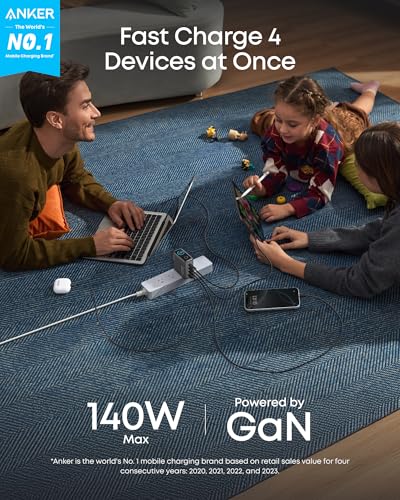
Anker 140W 4-Port GaN Charger with Smart Display
The Anker 140W 4-Port GaN Charger with Smart Display is a multi-device MacBook charger — Best Multi-Device Charger — with dual 140W USB-C ports, PD 3.1 support, HD color display with touch controls, ActiveShield 4.0 thermal protection, and an included 240W cable. The most capable simultaneous four-device charging solution in this roundup.
Summary
The Anker 140W 4-Port earns Best Multi-Device Charger by doing what no other pick in this roundup does: powering four devices simultaneously — including two at full 140W PD 3.1 speed — with a real-time smart display, ActiveShield 4.0 thermal monitoring, and a 240W cable already in the box. It’s heavier than a travel charger and costs more than the 70W and 100W picks in this roundup. But for the MacBook household or desk setup where one wall outlet needs to cover everything, it’s the most capable and most complete charger in the list.
UGREEN Nexode 140W GaN Charger — Best MacBook Pro 16″ Pick

Quick Facts
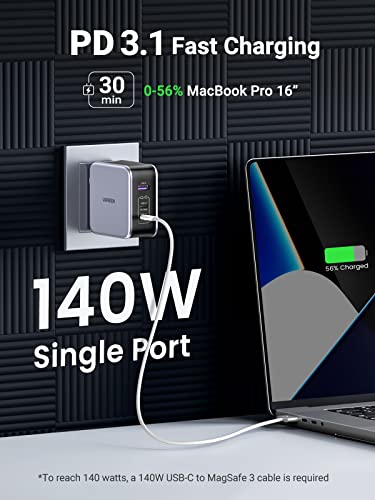
- ⚡ 140W single port PD 3.1 — charges MacBook Pro 16″ to 56% in just 30 minutes
- 🔌 3 ports — 2x USB-C (140W + 100W) + 1x USB-A (22.5W)
- 🌡️ Thermal Guard — scans internal temperature 800 times per second
- 📦 240W braided cable included — future-proof, no extra purchase needed
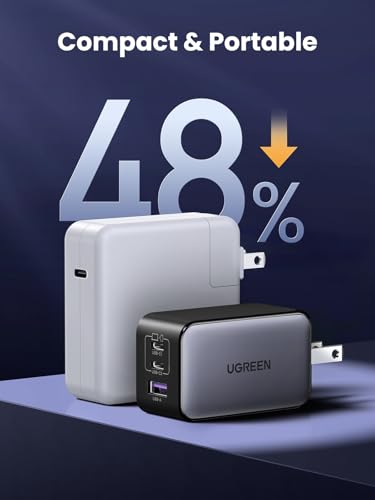
- 🪶 22% smaller than Apple’s own 140W single-port charger
- 🔋 Power Dispenser System — intelligently adjusts output per connected device
Editor’s Note
UGREEN has been manufacturing charging accessories since 2012 — and the Nexode 140W is the product that put them firmly on the map for MacBook Pro users. KnowTechie’s verdict is direct: if you’re a MacBook owner, the UGREEN Nexode is superior to Apple’s 140W option — it’s smaller, faster, and built like a rock. Cult of Mac praised the build quality as having a pleasing solidity, noting it’s notably smaller than Apple’s single-port 140W charger — roughly the same size as Apple’s 67W adapter — with a premium braided 240W cable included in the box. Backed by thousands of verified buyers across Amazon and major retail channels, the Nexode 140W is the most independently reviewed third-party MacBook Pro 16″ charger available — and the verdict is consistently the same: buy this instead of Apple’s.
The UGREEN Nexode supports PD 3.1, but you’ll need a USB-C to MagSafe 3 cable to unlock full 140W fast charging on the 16-inch MacBook Pro. If you stick with a standard USB-C connection, charging tops out at 100W — still more than enough for everyday use.
Pros
- 140W PD 3.1 single port — fastest MacBook Pro 16″ charging available
- 22% smaller than Apple’s 140W — more portable without sacrificing power
- 240W braided cable included — premium addition most competitors skip
- Thermal Guard at 800 scans/sec — most advanced heat monitoring in this roundup
- 9to5Mac & Cult of Mac tested — independently verified by two major Apple publications
Cons
- Runs warm under sustained 140W load — normal for this wattage, not hot enough to concern
Why We Liked It
The UGREEN Nexode 140W brings a MacBook Pro 16″ from empty to 60% in just 34 minutes — almost twice as fast as a 65W GaN charger — while simultaneously powering a second laptop and a phone from its remaining two ports. For MacBook Pro 16″ owners who previously carried Apple’s bulky single-port 140W adapter, the size reduction alone is a meaningful daily improvement — the Nexode 140W is approximately 20% smaller than Apple’s equivalent charger while delivering identical peak wattage with two additional ports. The included 240W braided cable is the detail that consistently surprises real-world buyers — it’s not a nothing add-on — it’s one of the nicer cables you’ll own, and it came with the charger.
The most important caveat for MacBook Pro 16″ owners: Apple limits 140W fast charging on the 16″ MacBook Pro to its official MagSafe 3 cable — using any other USB-C cable, including the included 240W UGREEN cable, caps charging at 100W. For MacBook Pro 14″ owners this limitation doesn’t apply — 96W fast charging works with any quality USB-C cable. For 16″ owners who want the full 140W experience, factor the $45 MagSafe 3 cable into your purchase decision. At 100W without it, charging is still significantly faster than Apple’s standard 96W adapter — just not at peak speed.
UGREEN Nexode 140W GaN USB-C Macbook Pro Charger
Best For: MacBook Pro 16″ owners who want the fastest available third-party charger — smaller than Apple’s own 140W adapter, independently verified by major Apple publications, and ready to charge two additional devices simultaneously.
Summary
The UGREEN Nexode 140W is the best MacBook Pro 16″ charger for users ready to leave Apple’s bulky single-port adapter behind. 140W PD 3.1 charging, 22% smaller than Apple’s equivalent, a premium 240W cable included, and Thermal Guard safety — all independently verified by 9to5Mac, Cult of Mac, and KnowTechie. Remember: full 140W fast charging on the Pro 16″ requires Apple’s MagSafe 3 cable — factor that in before buying. For everyone else, this is the charger that makes Apple’s own 140W adapter feel overpriced and oversized.
Anker 100W Ultra-Compact Smart Display Charger — Best MacBook Pro 14″ Pick
Quick Facts
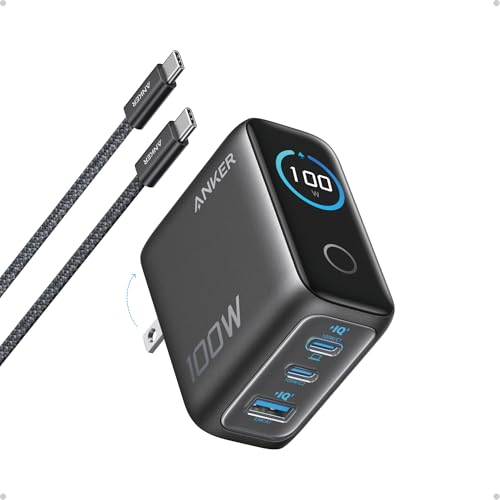
- ⚡ 100W max output — fast charges MacBook Pro 14″ to 50% in just 27 minutes
- 📊 Smart display — live readouts of power, voltage, temperature + milestone tracking
- 🌡️ ActiveShield 4.0 — monitors temperature over 1,000,000 times per day
- 🔌 3 ports — 2x USB-C (100W each) + 1x USB-A (33W)
- 🪶 30% smaller and lighter than previous generation — foldable plug
- 📦 USB-C cable included — 4.9ft, ready to use out of the box
Editor’s Note
Anker is the world’s best-selling mobile charging brand — and the 100W Ultra-Compact Smart Display is their most refined everyday MacBook charger to date. Macworld independently tested and highly recommended this charger, specifically praising its compact size, foldable plug, and consistent 100W delivery across both USB-C ports — a rare feature that eliminates the guesswork of which port to use. The dynamic smart display shows live readouts of power, voltage, and temperature with animated visuals — plus milestone tracking that records total usage hours — a genuinely unique feature no other pick in this roundup offers. Backed by thousands of verified buyers and an Amazon Overall Pick badge, this is the charger MacBook Pro 14″ and Air M5 owners reach for most consistently.
Pros
- 100W on both USB-C ports — no guessing which port delivers full speed
- Smart display — live power, voltage, and temperature readouts unique in this roundup
- ActiveShield 4.0 — 1,000,000 daily temperature checks, most advanced safety monitoring here
- 30% smaller than previous gen — meaningful size reduction without power compromise
- Macworld tested & recommended — independently verified real-world performance
Cons
- Port sharing drops wattage — 70W + 30W when both USB-C ports in simultaneous use
Why We Liked It
The Anker 100W Smart Display charger has 100W available on both USB-C ports — meaning whichever port you plug your MacBook Pro 14″ into, you get full fast-charging speed without checking the label first. For MacBook Pro 14″ owners, this means 0–50% in just 27 minutes from either port — a genuine daily convenience that single-dominant-port chargers can’t match. The smart display is the feature that earns it a place on any curated MacBook charger list: live animated readouts of power output, voltage, and temperature make it the most informative charger in this roundup — and milestone tracking adds a surprisingly satisfying long-term usage element.
The honest caveat is the 100W ceiling: while perfectly suited for fast-charging MacBook Air models and the 14″ Pro, it delivers only standard-speed charging to the MacBook Pro 16″ — which requires 140W for fast charging. For MacBook Pro 16″ owners who need peak charging speed, the UGREEN Nexode 140W is the right choice. For everyone else — Air M5 owners, Pro 14″ users, and multi-device households — the Anker 100W Smart Display hits the practical sweet spot with a feature set no competitor at this price matches.

Anker 100W Ultra-Compact Smart Display Charger
Best For: MacBook Pro 14″ and Air M5 owners who want 100W fast charging with a smart display — in the most compact, informative, and safety-monitored charger in this roundup.
Summary
The Anker 100W Ultra-Compact Smart Display is the best MacBook Pro 14″ charger for users who want genuine fast charging with real-time visibility into every charge. 100W on both USB-C ports, a live smart display, ActiveShield 4.0 safety monitoring, and a 30% smaller footprint than its predecessor — all independently verified by Macworld. It won’t fast-charge the Pro 16″ — for that, step up to the UGREEN Nexode 140W. For everyone else, this is the most capable and informative compact MacBook charger available.
See Also: Best Bluetooth Mouse for Mac 2026 – Top Wireless Picks for MacBook Pro
Apple 96W USB-C Power Adapter — Official Apple Pick

Quick Facts
- 🍎 Official Apple charger — guaranteed MacBook Pro 14″ compatibility
- ⚡ 96W output — fast charges MacBook Pro 14″ from 0–50% in 30 minutes
- 🔌 Single USB-C port — clean, simple, no port-sharing compromises
- 🛡️ Apple warranty coverage — backed by AppleCare and Apple support network
- 🌍 Universal voltage — 100–240V, works in any country with right plug adapter
- 📦 Cable sold separately — MagSafe 3 or USB-C cable required for fast charging
Editor’s Note
Apple has been designing MacBook chargers for over two decades — and the 96W USB-C Power Adapter is their officially recommended fast charger for the MacBook Pro 14″. Apple’s own testing conducted in January and February 2026 confirmed the 96W adapter fast-charges the MacBook Pro 14″ M5 from 0–50% in approximately 30 minutes using a USB-C to MagSafe 3 cable. No third-party brand, no independent lab — Apple’s own engineering team verified this performance for the exact MacBook Pro model it was designed for. For buyers who want zero compatibility guesswork, guaranteed warranty support, and the peace of mind of an official Apple product, this is the straightforward choice — at a premium price.
Pros
- Apple-certified performance — officially tested for MacBook Pro 14″ fast charging
- Guaranteed compatibility — zero risk of firmware conflicts or charging issues
- AppleCare warranty support — replaceable through Apple retail and authorized service
- Simple single-port design — no port-sharing, full 96W always available
- Universal voltage — works globally without a voltage converter
Cons
- Single port only — no multi-device charging capability
- Cable not included — MagSafe 3 or USB-C cable sold separately
- Premium price — significantly more expensive than equivalent third-party GaN options
- No GaN technology — runs warmer and larger than modern third-party alternatives
Why We Liked It
The Apple 96W USB-C Power Adapter fast-charges the MacBook Pro 14″ from 0–50% in approximately 30 minutes when paired with a USB-C to MagSafe 3 cable — the same result as every 96W+ third-party charger in this roundup. The difference is brand assurance: Apple’s own engineering team designed this charger specifically for their MacBook lineup, and every firmware update, every charging protocol, and every compatibility guarantee is maintained by Apple directly. For MacBook Pro 14″ owners who’ve experienced charging issues with third-party adapters in the past — flickering indicators, inconsistent speeds, or firmware conflicts after macOS updates — the Apple 96W eliminates every variable at once.
The honest trade-off is value: third-party GaN chargers like the UGREEN Nexode 140W and Anker 100W Smart Display deliver equivalent or superior charging performance at lower prices — with additional ports, smaller footprints, and more advanced thermal management. The Apple 96W costs more, runs warmer, and charges only one device at a time. For buyers who prioritize absolute compatibility certainty and Apple warranty coverage over features or value, that premium is worth paying. For everyone else, a certified third-party GaN charger is the smarter purchase.

Apple Original 96W USB-C Power Adapter
Best For: MacBook Pro 14″ owners who want Apple’s official guaranteed charging performance — with zero compatibility risk and full AppleCare warranty support.
Summary
The Apple 96W USB-C Power Adapter is the official MacBook Pro 14″ charger — Apple-tested, Apple-warranted, and guaranteed compatible with every macOS update. 96W fast charging, universal voltage, and AppleCare support make it the safest choice for buyers who want zero compatibility guesswork. It’s single-port, cable-not-included, and premium-priced compared to third-party GaN alternatives — but for MacBook Pro 14″ owners who value brand assurance above all else, no other charger in this roundup offers the same peace of mind.
UGREEN Nexode 65W 3-Port GaN Charger — Best Budget MacBook Air M5 Pick

Quick Facts
- ⚡ 65W single port — charges MacBook Air M5 to 51% in just 30 minutes
- 🔌 3 ports — 2x USB-C + 1x USB-A for multi-device charging
- 🧠 GaN + PPS + PD 3.0 — intelligent power negotiation for safe optimized charging
- 🪶 Foldable compact design — travel-ready, fits in any bag or pocket
- 🌍 Universal voltage — 100–240V, works in any country with right plug adapter
- 🛡️ Multiple safety certifications — FCC, CE, RoHS, and ETL listed
Editor’s Note
UGREEN has been manufacturing charging accessories since 2012 — and the Nexode 65W is one of their most consistently praised compact GaN chargers across independent reviewers worldwide. Digital Camera World independently confirmed the Nexode 65W delivers its full advertised speeds on every port individually — charging and powering a MacBook simultaneously at full 65W without issue. The enhanced GaN implementation ensures more stable temperatures and charging speeds without affecting performance — a meaningful real-world benefit for a charger used daily at home, office, and on the road. Backed by thousands of verified buyers across Amazon and major retail channels, the UGREEN Nexode 65W is the most affordable path into genuine GaN fast charging for MacBook Air M5 owners who don’t need the full 70W fast-charging threshold.
Pros
- 65W single port — charges MacBook Air M5 to 51% in 30 minutes
- Lowest price in this roundup — genuine GaN certification at budget price point
- FCC + CE + RoHS + ETL certified — comprehensive safety stack for the price
- Foldable plug — most travel-friendly design in this roundup
- Universal voltage — works globally without a voltage converter
Cons
- Port sharing drops wattage significantly — 45W + 8.5W + 8.5W when all three ports in use simultaneously
- No cable included — USB-C cable sold separately
Why We Liked It
The UGREEN Nexode 65W earns its Best Budget label by delivering genuine GaN fast charging for MacBook Air M5 at the lowest price in this roundup. At 65W, it charges a MacBook Air to 51% in just 30 minutes — meaningfully faster than Apple’s stock 40W adapter, and practically indistinguishable from the Anker Nano 70W in daily use for most owners. The 5W gap below Apple’s official fast charging threshold is real on paper but nearly invisible in practice: the difference between 65W and 70W translates to roughly 2–3 minutes over a typical charging session — not a meaningful daily trade-off for buyers who save significantly at checkout.
The honest caveat is port sharing behavior: when all three ports are in simultaneous use, the primary USB-C port drops to 45W while the secondary USB-C receives only 8.5W — a significant drop that affects MacBook Air M5 charging speed meaningfully under full three-device load. For MacBook Air owners who charge their laptop alongside just one other device, the 45W primary port is still more than adequate. For users who regularly charge three devices simultaneously at full speed, the Anker Nano 70W or Belkin 112W are the better choices. For everyday single-laptop or dual-device charging at the lowest price in this roundup, the UGREEN Nexode 65W is the most practical budget starting point.
UGREEN Nexode 65W 3-Port GaN Charger
Best For: MacBook Air M5 owners who want genuine GaN fast charging at the lowest price in this roundup — without compromising on safety certifications or build quality.
Summary
The UGREEN Nexode 65W is the best budget MacBook Air M5 charger for users who want genuine GaN fast charging without overspending. 65W single-port output, foldable travel design, and comprehensive safety certifications — all at the lowest price in this roundup. The 5W gap below Apple’s fast charging threshold is negligible in real-world use — the significant port-sharing wattage drop under full three-device load is the only honest caveat worth knowing. For everyday MacBook Air M5 charging, nothing here offers better value per dollar.
Belkin 200W 4-Port GaN Desktop Charger — Best Desktop Pick

Quick Facts
- ⚡ 200W total output — 140W single port fast charges MacBook Pro 16″ to 50% in 30 minutes
- 🔌 4 USB-C ports — two power zones: 140W max + 60W max for optimal distribution
- 🧠 Intelligent Power Sharing + PPS — dynamically adjusts output per device automatically
- 📏 5ft detachable power cord — flexible desk placement, easy to store or replace
- 🛡️ $2,500 connected equipment warranty — 2-year Belkin coverage
- 🌱 60% post-consumer recycled housing — 100% plastic-free packaging
Editor’s Note
Belkin has been pioneering USB-C technology since 2015 — introducing Qi2, MagSafe, GaN, USB-C PD, PPS, DockKit, and USB 4 before most competitors had adopted the previous standard. The 200W 4-Port Desktop Charger is their most powerful MacBook charging solution — and the only pick in this roundup that fast-charges the MacBook Pro 16″ at full 140W speed while simultaneously powering three additional devices. Belkin’s own lab testing confirmed the 200W charges a MacBook Pro 16″ from 0–50% in approximately 30 minutes while simultaneously charging an iPhone from 0–50% in 21 minutes — all from a single desktop unit. Backed by thousands of verified buyers, 239 rigorous internal safety tests, and 40 years of Belkin brand reliability, this is the charger that replaces every adapter on your desk permanently.
Pros
- 140W single port — only pick in this roundup that fast-charges MacBook Pro 16″ at full speed
- 4-port simultaneous charging — MacBook Pro + iPhone + iPad + Galaxy all at once
- Two power zones — 140W + 60W intelligently distributed, no manual port selection needed
- $2,500 equipment warranty — strongest Belkin coverage in this roundup
- 60% recycled housing — most eco-conscious pick in this roundup
- Black version is available
Cons
- Desktop only — detachable cord and size make it impractical for travel
- No cable included — USB-C or MagSafe 3 cable sold separately
- Premium price — most expensive pick in this roundup
Why We Liked It
The Belkin 200W’s two distinct power zones — 140W max and 60W max — allow optimal power distribution based on connected devices’ needs, ensuring high-power devices like MacBook Pro receive what they need while simultaneously charging smaller devices efficiently. For MacBook Pro 16″ owners specifically, this is the only pick in this roundup that delivers the full 140W fast charging experience without a separate dedicated charger — plug the Pro 16″ into the primary port, plug an iPhone, iPad, and AirPods into the remaining three, and everything charges at full speed simultaneously. The Intelligent Power Sharing technology monitors each device’s charging requirements in real time — automatically redistributing wattage as devices reach capacity or new devices are connected.
The honest trade-off is portability: this is a dedicated desk charger, not a travel companion. The detachable 5ft power cord improves desk cable management and makes storage easier — but the overall size and weight make it impractical for bag carry. For MacBook Pro owners who travel frequently and need a portable high-wattage solution, the UGREEN Nexode 140W is the right choice. For everyone who wants to permanently eliminate every adapter on their desk with a single, future-proof charging station, the Belkin 200W is the definitive answer.

Belkin 4-Port USB-C Charger Block (200W)
Best For: MacBook Pro 16″ and multi-device desk users who want a single desktop charging station that fast-charges their entire ecosystem simultaneously — from one outlet, permanently.
Summary
The Belkin 200W is the best desktop MacBook Pro charger for users who refuse to manage multiple adapters. 200W total output, 140W single-port fast charging for the Pro 16″, Intelligent Power Sharing across 4 ports, and a $2,500 equipment warranty — all from a brand with 40 years of charging expertise and 239 internal safety tests. It’s not portable and it’s not cheap — but for a permanent desk setup that charges everything at full speed simultaneously, nothing in this roundup comes close.
What to Look for in a MacBook Pro & Air M5 Charger
Match Wattage to Your MacBook Model — This Is Everything
Apple’s MacBook lineup now spans three distinct power profiles — and the one-size-fits-all charger era is officially over. Here’s the definitive wattage reference:
| MacBook Model | Standard Charging | Fast Charging |
|---|---|---|
| MacBook Air M5 | 40W | 70W+ (0–50% in 30 mins) |
| MacBook Pro 14″ | 70–96W | 96W+ |
| MacBook Pro 16″ | 96W | 140W (PD 3.1 required) |
Buying more wattage than your model needs adds bulk without real gains. Buying less means slow charging — or battery drain under heavy load.
GaN vs Standard Silicon — Always Choose GaN
GaN (Gallium Nitride) chargers run cooler, charge faster, and pack significantly more power into a smaller footprint than traditional silicon chargers. There are real risks with buying a cheap charger — a bargain MacBook charger might fry your laptop or get dangerously hot. Every pick in this roundup uses GaN technology from verified brands — never compromise on this for a device worth $999–$3,000+.
PD 3.1 — Only the MacBook Pro 16″ Needs It
PD 3.1 Extended Power Range allows USB-C to deliver more than the traditional 100W ceiling. The 16-inch MacBook Pro requires PD 3.1 to achieve fast charging — without an EPR-certified charger, the 16-inch Pro is limited to a slower 100W charge. For MacBook Air M5 and Pro 14″ owners, PD 3.1 is irrelevant — standard USB-C PD delivers everything these models need.
Fast Charging — What It Actually Means Per Model
Apple’s fast charging for the MacBook Air M5 requires a 70W USB-C adapter — tested by Apple in January 2026 to charge from drained to 50% in 30 minutes. The MacBook Pro 14″ fast charges with 96W+, and the 16″ requires the full 140W PD 3.1 setup with Apple’s MagSafe 3 cable for peak speed. One critical detail most buyers miss: the MacBook Pro 16″ requires Apple’s official MagSafe 3 cable to unlock full 140W fast charging — any other USB-C cable caps output at 100W regardless of charger wattage.
Multi-Port Design — Essential for Real Desk Use
When using your MacBook at full power, a single-port charger leaves nothing for your other devices. A multi-port GaN charger with higher total wattage channels excess power to your iPhone, iPad, or AirPods simultaneously — eliminating wall adapter clutter entirely. A single-port charger works fine for travel. For desk use where you charge a MacBook, phone, and tablet simultaneously, a multi-port GaN charger is the only practical choice.
MagSafe 3 vs USB-C — Know Your Port
All MacBook Air M5 and MacBook Pro M5 models support both MagSafe 3 and USB-C charging — giving you flexibility across all picks in this roundup. If you prefer the magnetic connection and LED charging indicator of MagSafe 3, confirm your chosen charger is compatible with the MagSafe 3 cable separately — none of the third-party chargers in this roundup include one in the box.
Safety Certifications — Non-Negotiable
Always look for certifications from recognized independent bodies. Every pick in this roundup carries at least one of: UL, ETL, FCC, CE, or TÜV. An uncertified charger is an untested claim — never connect one to a MacBook worth hundreds or thousands of dollars.
Tips for Getting the Most from Your MacBook Pro & Air M5 Charger
Always Plug Into the Right Port for Maximum Speed — On MacBook Pro models with multiple Thunderbolt ports, charging speed varies by port. Always plug your charger into the left-side ports on MacBook Pro — the right-side ports deliver slower charging speeds on most M5 models. MacBook Air M5 owners don’t have this issue — both USB-C ports charge at equal speeds.
The MacBook Pro 16″ Needs Apple’s MagSafe 3 Cable for Full 140W — This is the most important caveat in this entire roundup. Every third-party 140W charger — including the UGREEN Nexode 140W — caps at 100W with a standard USB-C cable. Full 140W fast charging on the Pro 16″ requires Apple’s official MagSafe 3 cable, sold separately at $45. Factor that into your purchase decision before buying any 140W charger.
Use the High-Wattage Port First — Every multi-port charger in this roundup delivers maximum wattage on one specific primary port. Always plug your MacBook into that port first. Plugging into a secondary port and leaving the primary empty wastes available wattage and charges your MacBook slower than the charger is actually capable of.
Don’t Overpay for Wattage You Can’t Use — A 140W PD 3.1 charger delivers zero benefit over a 70W charger for MacBook Air M5 users. Match wattage to your model’s fast charging threshold — Air M5 needs 70W, Pro 14″ needs 96W, Pro 16″ needs 140W. Spending the extra budget on additional ports is almost always more useful than excess wattage.
GaN Chargers Need Breathing Room — GaN runs cooler than silicon — but still generates heat under sustained heavy load. Avoid covering your charger with a book, bag, or fabric while in use. A charger that can’t dissipate heat properly throttles its output to protect itself — meaning slower charging exactly when you need it most.
Travel With the Right Charger, Not the Most Powerful One — The Anker Nano 70W and UGREEN Nexode 65W are the practical travel picks — smaller, lighter, and more than capable for overnight hotel charging. Save the Belkin 200W Desktop for your desk. A 140W charger in a travel bag is unnecessary bulk for Air M5 and Pro 14″ owners.
Check Voltage Compatibility Before Traveling Internationally — Every pick in this roundup supports 100–240V universal voltage — meaning they work in any country with the right plug adapter. You only need a plug adapter, not a voltage converter. Confirm this on your specific charger before traveling — it’s usually printed on the charger body or listed in specs.
Editor’s Tip — Match your charger to your MacBook model’s exact fast charging threshold — not the maximum wattage available. A 70W charger fast charges a MacBook Air M5 perfectly. A 100W charger does the same job with no meaningful speed improvement. Spend the wattage budget on extra ports instead — charging your MacBook, iPhone, and iPad from one wall outlet is worth far more in daily life than excess wattage you’ll never use.
Frequently Asked Questions About MacBook Chargers
Can I use a phone charger for my MacBook Pro or Air M5?
Technically yes — a USB-C phone charger will deliver power to your MacBook, but it’s usually limited to 20W–30W. That means your laptop will charge extremely slowly, and under heavy use — video editing, running multiple apps, or external display output — the battery may continue to drain even while plugged in. For MacBook Air M5, a 30W phone charger might get you by in emergencies, but for MacBook Pro models, especially the 16-inch, it’s not practical. Always aim for a charger that matches or exceeds Apple’s recommended wattage — 96W or 140W for Pro models.
Do I need Apple’s official charger, or are third-party options safe?
Apple’s official chargers are guaranteed to work and covered by warranty — but they’re often bulkier and more expensive than equivalent third-party options. Trusted brands like Anker, UGREEN, and Belkin produce USB-C PD GaN chargers that are smaller, more efficient, and often include multiple ports. The key is certification: look for USB-IF, UL, or ETL safety marks — and avoid cheap uncertified chargers. A premium third-party GaN charger can be just as safe — sometimes safer — while offering more flexibility and better value.
What’s the difference between 96W and 140W chargers for MacBook Pro?
The 16-inch MacBook Pro supports 140W fast charging via MagSafe 3 — going from 0–50% in approximately 30 minutes. A 96W charger will still charge the laptop, but not at maximum speed. For most users, 96W is sufficient unless you regularly drain your battery and need rapid top-ups. One critical detail: full 140W fast charging requires Apple’s official MagSafe 3 cable — any standard USB-C cable caps output at 100W regardless of charger wattage. If you value portability, a compact 100W GaN charger is often the sweet spot — powerful enough for everyday Pro use without the bulk of a 140W adapter.
What is GaN technology, and why does it matter for MacBook chargers?
GaN (Gallium Nitride) is a semiconductor material that allows chargers to be smaller, cooler, and more efficient than traditional silicon chargers. A GaN charger can deliver high wattage (100W–200W) in a compact design — ideal for travel or desk setups. They also waste less energy as heat, which improves safety and longevity. For MacBook owners, GaN chargers are the best balance of power, portability, and efficiency — and every pick in this roundup uses GaN technology from a verified brand.
Can one charger power both my MacBook and iPhone/iPad at the same time?
Yes — multi-port chargers like the Belkin 200W Desktop and Belkin 112W 4-Port are designed exactly for this. They use Intelligent Power Sharing to distribute wattage safely across devices. For example, you can charge a MacBook Pro at 100W while simultaneously fast-charging an iPhone and iPad from the remaining ports. Just make sure the total wattage capacity matches your setup — the Belkin 200W handles full multi-device households comfortably, while the 112W suits lighter two or three device setups.
Why does Apple ship MacBooks without chargers in the EU and UK?
Apple’s decision aligns with environmental regulations and sustainability goals — reducing e-waste and packaging. However, this leaves EU and UK buyers responsible for choosing the right accessory independently. The risk is that many users turn to cheap, unsafe chargers. That’s why investing in a trusted USB-C PD GaN charger is critical — it ensures safe charging, protects your MacBook’s battery health, and often adds multi-device convenience that Apple’s own single-port adapters don’t provide.
Is it safe to charge my MacBook overnight?
Yes — every pick in this roundup includes overcharge protection that automatically stops delivering power once your MacBook reaches 100%. Modern MacBooks also include Apple’s Optimized Battery Charging feature — which learns your charging patterns and slows charging past 80% to reduce battery aging. For long-term battery health, keeping your MacBook between 20% and 80% during regular use is ideal — but overnight charging with a certified GaN charger is safe and won’t damage your battery.
What wattage charger does MacBook Air M5 need?
MacBook Air M5 works with a wide range of USB-C chargers, but for the best performance it should be paired with a 65W to 70W charger. This range delivers full-speed charging and is ideal for everyday use. Lower wattage options like 30W or 35W will still charge the laptop, but much more slowly—especially while multitasking. Higher wattage chargers (90W or even 100W+) are also safe to use, as the MacBook automatically regulates power, but they don’t significantly improve charging speed beyond the 70W range. For most users, a 65W–70W GaN charger offers the best balance of speed, portability, and efficiency.
Looking for extra storage? Check out our guide to the Best External SSD for MacBook Pro 2026 – Fast, Reliable & Affordable Storage Options.
Written by Metin Karal
Metin Karal is a Computer Engineer with over 25 years of experience working with internet technologies, trends, and digital tools since 1995. He brings this deep background into his product reviews, combining technical expertise with careful research to deliver honest, practical insights for readers. Passionate about technology, Metin also enjoys programming in C# and is currently developing PairMem, a challenging memory game available for free on the official Microsoft Store.
How We Selected These Products
We recommend these items based on a thorough research process designed to highlight the best options available. While we did not physically test some products ourselves, we relied on detailed research and verified customer feedback to evaluate them.
- Detailed Research: We reviewed product specifications, manufacturer information, and feature lists to understand what each item offers.
- Customer Insights: We analyzed verified buyer reviews and ratings to learn how these products perform in real-world use.
- Comparison Factors: We compared products across price, durability, usability, and unique features to identify the strongest choices.
- Personal Experience: With over 25 years of working in internet-related technologies and following online trends since 1995, I bring a deep understanding of how products are marketed, evaluated, and used. This background helps me filter out hype and focus on what truly matters for everyday users.
- Balanced Evaluation: Our goal is to provide clear, unbiased information so you can make confident purchasing decisions.
See also How We Review Products section for more details on our process.



Pingback: 7 Best MacBook Neo Cases & Sleeves (2026) — Complete Buyer's Guide